ELD Requirements: Who Needs One, What It Records, and How to Stay Compliant
ELD Requirements: Who Needs One, What It Records, and How to Stay Compliant
An electronic logging device is not optional equipment you add when convenient. It is the system of record for your hours, and it is the first thing an inspector asks for. Most ELD violations are not caused by drivers trying to cheat the clock. They come from a device that was never registered, a log that was never certified, or a carrier that did not know the eight-day repair clock had started. Here is what the rule actually requires.
Who Is Required to Use an ELD
The ELD rule applies to most motor carriers and drivers who are required to keep records of duty status. That covers trucks and commercial buses, and it reaches Canada- and Mexico-domiciled drivers operating in the United States unless they qualify for a specific exception. The test is not the size of your fleet or whether you own the truck. If the work requires a record of duty status, an ELD is generally required, and a carrier using a device that is not on FMCSA’s registered list can be cited even if the device works perfectly.
The Three Core Exceptions
Three categories are not required to use ELDs. Drivers who use paper logs no more than eight days in any 30-day period are excepted. Driveaway-towaway operations are excepted when the vehicle being driven is the commodity, or when the transported vehicle is a motor home or recreational vehicle trailer with at least one set of wheels on the road surface. Drivers of vehicles manufactured before model year 2000 are also excepted. Carriers may still choose to use ELDs voluntarily in these cases, but if you claim an exception, keep documentation that supports it, because the burden of proof sits with you at a roadside inspection.

What a Compliant ELD Must Record
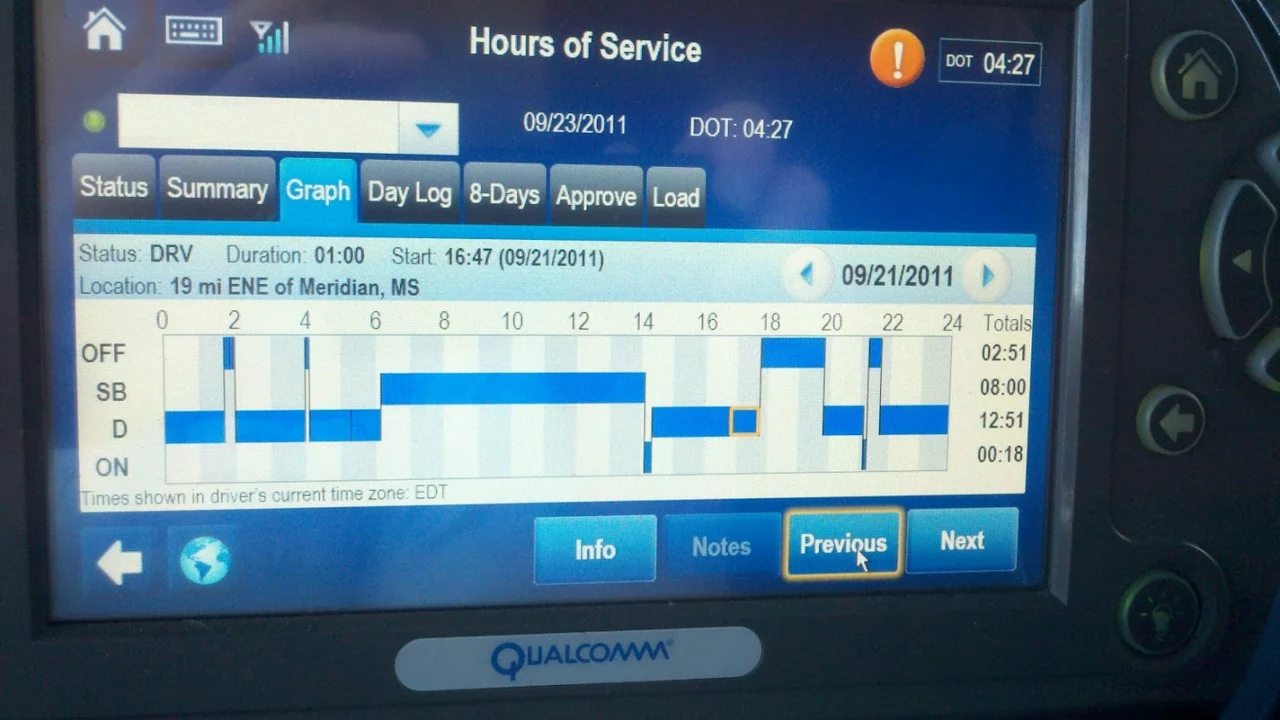
A compliant device synchronizes with the vehicle engine and automatically captures engine power status, vehicle motion status, miles driven, engine hours, and duty status, along with identifying the driver, the vehicle, and the motor carrier. Automatic capture is the point: driving time is created by the truck moving, not by you remembering to switch status. The device must also support the standard data displays and transfer methods defined in the rule, and it must be self-certified by the manufacturer and listed on FMCSA’s registry.
Certifying and Editing Your Log
You certify your record of duty status, confirming it is complete and accurate. Your carrier may propose edits to non-driving time, but you accept or reject each one, and driving time itself cannot be reassigned. You can add annotations to explain recorded events or gaps. This is where small habits pay off: annotate the same day, not at the end of the week, because a log full of unexplained edits invites a deeper audit than a clean one with a few honest notes.
Transferring Data at an Inspection
When an officer requests your hours, you initiate the transfer. Compliant devices support two paths. With an internet connection, data moves by web services or email. Without a connection for either you or your carrier, the device can transfer by USB 2.0 or Bluetooth. The officer opens the file in FMCSA’s eRODS software, which flags potential violations for review. Know your device’s transfer steps before you are standing at a scale, and keep the instruction sheet in the truck, because fumbling through a menu under observation rarely ends well.
When the ELD Breaks: The Eight-Day Clock
A malfunction does not excuse you from keeping records. During a malfunction you reconstruct your log on paper for the current day and the previous seven. Your carrier then has eight days to repair, replace, or service the device. If that is not enough time, the carrier must request an extension from FMCSA with the device details, the date and location of each malfunction, and a good-faith statement of the repair efforts. A properly filed extension request is treated as compliant while FMCSA decides.
Documents and Retention
Required in the cab: the ELD user’s manual, an instruction sheet for transferring hours to safety officials, an instruction sheet on reporting malfunctions and keeping records during one, and at least eight days of blank paper grid graphs. Carriers must retain ELD data and backup data for six months, stored securely and on separate systems, and must keep no more than eight supporting documents per driver per day. Carriers are also barred from using ELD data to pressure a driver into a violation, which the rule treats as harassment with its own penalty.
The Bottom Line
Confirm your device is on FMCSA’s registered list, learn the transfer and malfunction steps before you need them, and annotate problems the day they happen. An ELD that is registered, certified daily, and documented properly turns a roadside inspection into a two-minute data transfer instead of a violation write-up.
Leave a Reply